AnduinOS has always been built on Ubuntu, and one of our core commitments is to keep pace with Ubuntu's release cycle. Whenever a new version of Ubuntu is released, we synchronously roll out a new version of AnduinOS.
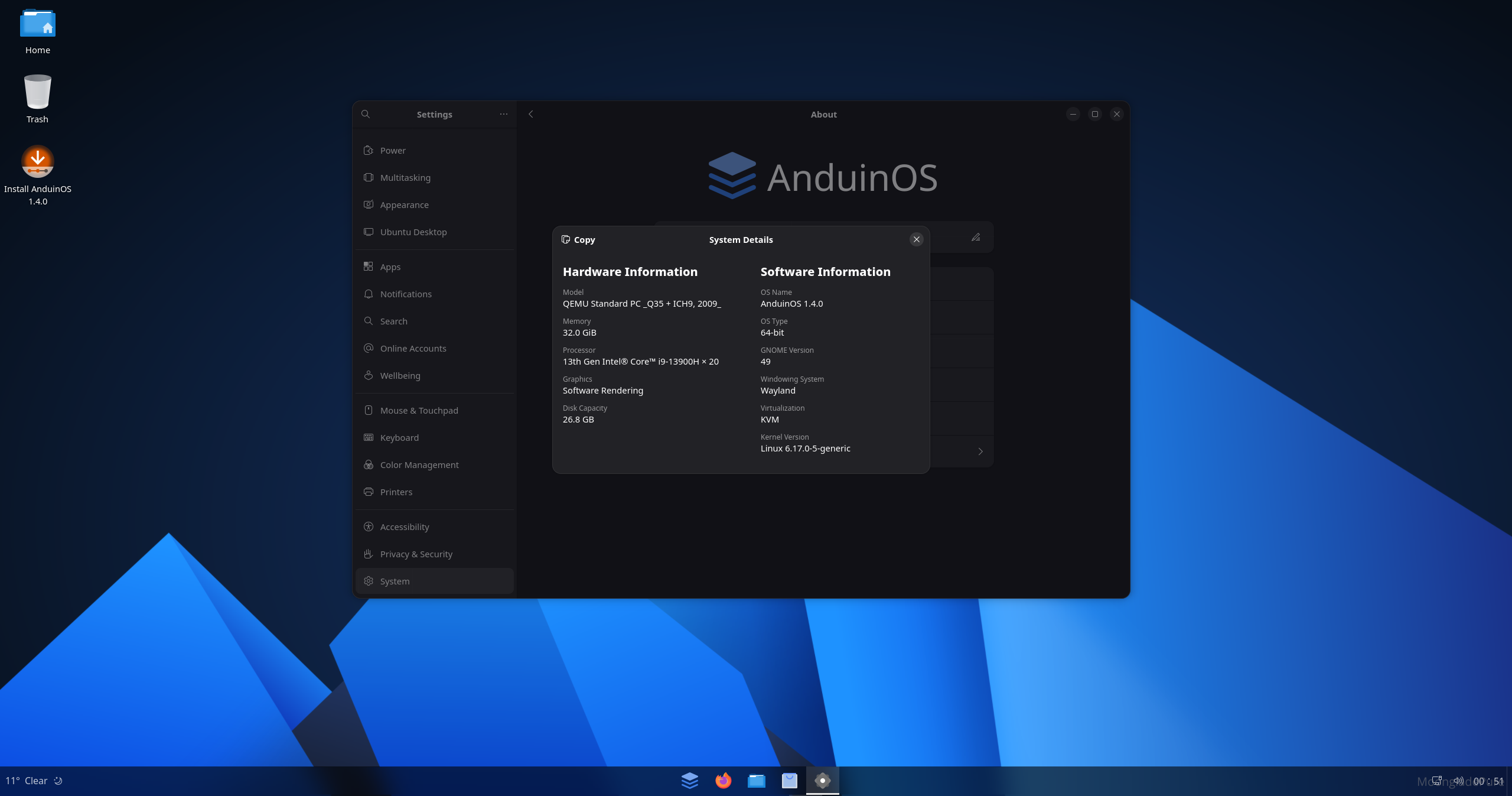
Now, just over a month after the release of Ubuntu 25.10 (Questing), this version brings a massive number of user experience improvements, such as the complete removal of X11, the new Pytxis terminal, GNOME 49, Linux 6.17, and sudo-rs, among others. These exciting changes significantly enhance the user experience, and now, they have fully landed in AnduinOS.
Therefore, we are extremely proud to announce the official release of AnduinOS 1.4. This version is built on the latest compilation of Ubuntu 25.10 and is designed to catch up with the latest upstream changes.
v1.4.0 (Forked from 1.3.7)
- Changed the base system from Plucky (Ubuntu 25.04) to Questing (Ubuntu 25.10).
- Gnome was bumped to 49.
- Kernel was bumped to 6.17.
- Added a new language support for
ro_ROfor Romanian users. - Added 3 new gnome-shell extensions: to automatically switch the accent color based on gnome settings. (Thanks to @florintanasa for the help)
- Removed
switcher@anduinosgnome extension. - Added
AnduinOS To Gooption in the boot menu to allow users to run AnduinOS with persistent storage on a USB drive. gnome-startup-applicationswas removed. See reason here.- Use
sudo-rsto as the defaultsudocommand. - Removed
Gnome Evinceand addedGnome Papersas the default PDF viewer. - Removed
X11support. Wayland is now the only display server. (This change was from upstream Ubuntu 25.10) - Uses
Firefox ESRto replace the regularFirefoxas the default web browser. This is because the Canonical launchpad http://ppa.launchpad.net/mozillateam/ppa/ubuntu/dists/questing/ no longer provides the latest Firefox builds for Questing. - Added new app
gnome-calendaras default calendar app. Pinned to the start menu by default. - Added
system-config-printerpackage to the default app list to support printer configuration. - Removed
gnome-console(kgx)as the default terminal app. Addedptyxisas the default terminal app. - Removed
Openweather Refinedgnome extension. AddedSimpleWeathergnome extension. - Added
NO_AT_SAMEtoubiquityto fix a possible crash during installation.
Important: OS Branding Changes
- The
/etc/os-releasebranding file was changed. OS ID fromubuntuchanged toanduinos.- Patch
/usr/bin/add-apt-repositoryto trick thesoftware-properties-commonto think we are using Ubuntu. This is because some PPAs do not support AnduinOS. - Pin
software-properties-commonas not to be upgraded. This is to avoid breaking the above patch. - Patched the file
/etc/legalto update the OS name information. - Added
fastfetchpackage to the default app list to show system information in the terminal. Correctly show the logo based on/etc/os-releasefile. - Patched
/usr/bin/add-apt-repositoryto fake the OS information toubuntuwhen adding PPAs. - This is still a hack and may break in the future. Ultimately in the future, we may use our own PPAs to provide software and patches for AnduinOS.
- Patch
Important Note: Regarding Support Cycle
Please note that, consistent with upstream Ubuntu 25.10, AnduinOS 1.4 is not a Long-Term Support (LTS) release.
It only has a 9-month support cycle. Therefore, we do not recommend deploying this version in production environments or on critical devices that require long-term stability.
Inplace upgrade from old versions
Since AnduinOS currently does not have its own dedicated software repository (all software packages are sourced from Ubuntu), updates to AnduinOS itself are, for now, handled by executing a bash script. In the future, we plan to integrate the update mechanism directly into the sudo apt upgrade command.
To update AnduinOS to the latest dot build version, simply run the following command: do_anduinos_upgrade. For example:
1.1.0 → 1.1.10
1.3.0 → 1.3.7
Please note that this command will not upgrade across fork versions—that is, it will not upgrade from 1.3.7 to 1.4.0.
Future of 1.3
Based on our Version Schedule:
1.3 is still under maintaiance until Jan 2026.
A lot of people are asking that is it possible to upgrade 1.3 to 1.4 directly?
A direct upgrade from 1.3 to 1.4 is currently feasible. However, given the significant differences between these two versions, we have been testing a solution that involves modifying the package source, running apt upgrade, and then applying all the new changes from 1.4.
This approach, however, carries significant risks. For instance, a crash during the upgrade process could leave the system with half new components and half old components. To eliminate these risks, we are currently developing and testing a safer upgrade strategy.
We will develop an upgrade script from 1.3 to 1.4 within the next two months (while 1.3 is still within its support window). This will allow 1.3 users to eventually transition smoothly to 1.4 without worrying about losing personal files. However, some features and settings may be reset, and some incompatible software might crash or be unable to update.
In summary, we are committed to not abandoning any 1.3 users and will ultimately help them transition to 1.4 safely and reliably. This plan is expected to be fully implemented by January 2026 at the latest.
What a brilliant Linux, I've used many distros and think this one is beautiful, I paid for Zorin 18 and dual boot but find myself using Anduin more than Zorin. Great work and home you don't stop, thanks from New Zealand.
Can we take the updater from linux-mint. it update apt and flatpak. Just make auto with no gui
can't wait for the update script, I'm eager to update!
Today is my first day with AnduinOS, and I like it. Mint is my daily driver, but I'm putting this on my computer I use occasionally. It's easy to install and feels much less bloated than stock Ubuntu.
I first looked into this months ago, but due to being of Chinese origin, I dismissed it. Recently, I did some research and saw that you're committed to keeping this entirely open for review, and that relieved me. IMO, the Chinese are leading the way right now in Linux desktops. Deepin, for example, is in my opinion the most beautiful and polished Linux DE out there, but of course, it's not as privacy focused as Anduin (in fact, the EULA is quite concerning).
Thank you for your work on this, minimal though it may be for you!
Do not use gnome-software as update system because it reboot for every update. It not needed, only for kernel update.
Hello! Congratulations on the beautiful work on AnduinOS, the system is great!
Thank you Anduin OS Community for working so hard to make a more feasible verison of linx Distro. The new version is so cool. Best wishes and lots of Love from Nepal
Fantastic news! I would like to say a very big thank you for making this release availble so quickly. I have been using AnduinOS for 5 months now and have nothing but praise for your work and generosity. This is indeed a beautiful and easy OS to use. Congratulations and best wishes from England.
Hey man!! Great Job! AnduinOS is beatifull and ease to use . Thanks from Brazil.
Just wanted to say that you are doing an amazing job. Kudos from Sweden!