AnduinOS new builds with fixes and improvements are released.
1.3.2
- Added
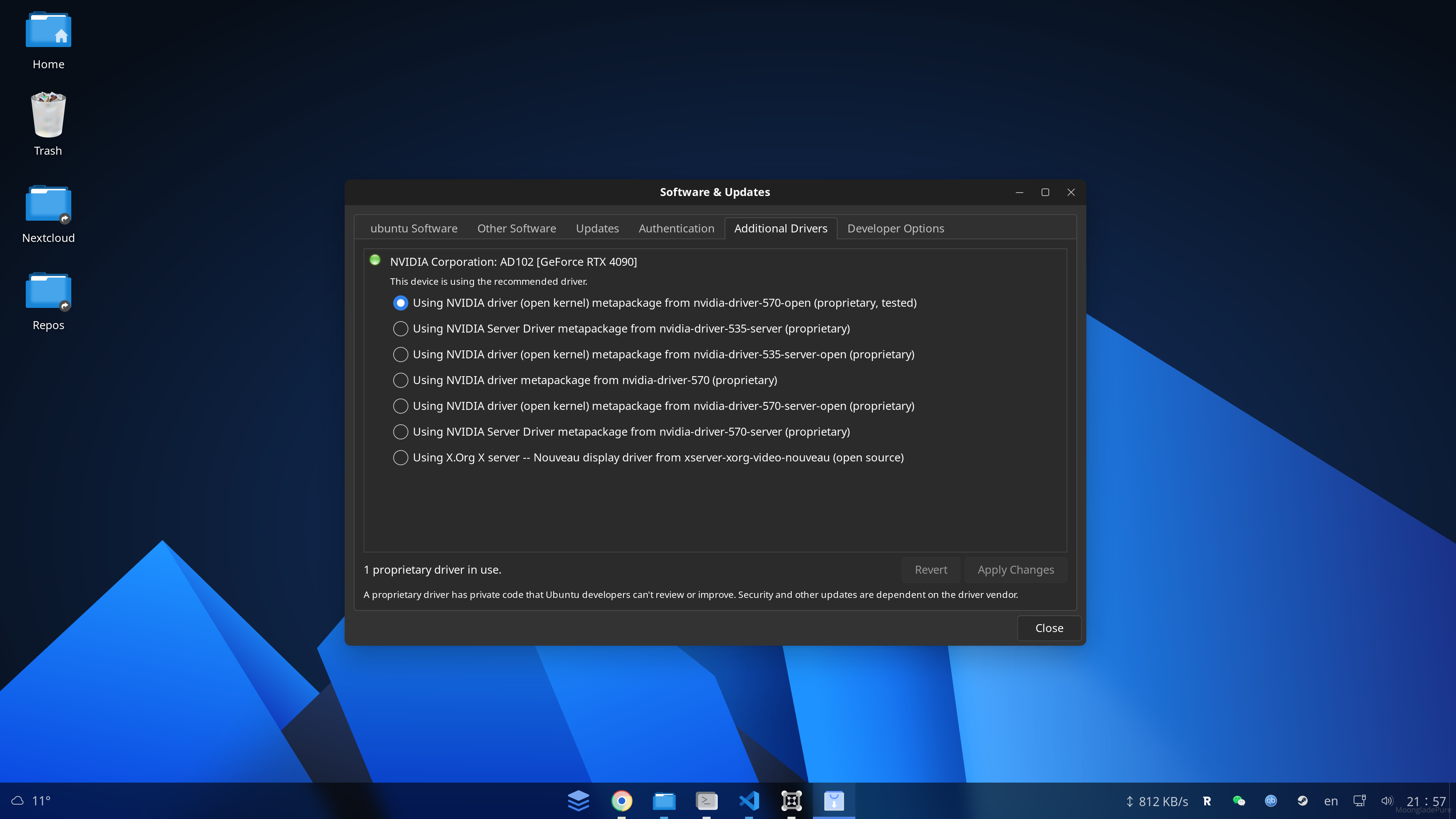
libfuse2t64,libfuse3-3andlibopengl0to support AppImage out of the box. - Added
power-profiles-daemonto the default app list to help manage power profiles. - For
zh_CNversion, changed default flathub mirror fromsjtutoustc. - Added
software-properties-gtk(Modified),libgtk3-perl,python3-dateutilandgir1.2-handy-1to the default app list. Holdsoftware-properties-gtkto prevent it from being upgraded. - Added Intel
thesofproject/sof-binfirmware to support Intel latest audio devices (Tested on Lunarlake CPU). (This feature won't be shipped via upgrading and only available in the ISO image) - Created pin file under
/etc/apt/preferences.d/to preventsoftware-properties-gtkandbase-filesfrom being upgraded. - Added a new user systemd service
systemctl --user status deskmon.serviceto automatically allow executing desktop files in the~/Desktopdirectory. This will simplify the process of "Create Desktop shortcut" for users. - Fixed an issue that theme and icon may be reverted to default after reboot.
- Added
vimto the default app list. - Use dynamic trackers retrieval from online source to generate torrent files for more stability of torrent downloads.
- Added
xserver-xorg-input-all,xorg,xserver-xorg-legacy,xserver-xorg-video-intelandxserver-xorg-video-qxlto optimize the X11 experience. In Hyper-V virtual machine, X11 is used by default. Now the ISO can boot into the desktop environment in Hyper-V without any issues. - Added
cracklib-runtimepackage to the default app list to enhance password security.
1.2.5
- Fix qalculate localization issue that may not show localized text.
- Added
en_GBlocale to the default locale list to support British English. - Fixed an issue that the installer
ubiquitydoesn't follow system theme. - Fixed
fr_FRfont issue that caused some characters to be displayed incorrectly. Adjusted default fallback order for sans-serif, serif, and monospace to prioritize Latin fonts while retaining proper CJK support. - Added
cracklib-runtimepackage to the default app list to enhance password security. - Changed the text of the image during boot(grub menu) from
Install AnduinOStoTry and Install AnduinOS. - Added
libfuse2t64,libfuse3-3andlibopengl0to the default app list to support AppImage out of the box. - Use dynamic trackers retrieval from online source to generate torrent files for more stability of torrent downloads.
- Added
power-profiles-daemonto the default app list to help manage power profiles. - Added
vimto the default app list. - Added
software-properties-gtk(Modified),libgtk3-perl,python3-dateutilandgir1.2-handy-1to the default app list. Holdsoftware-properties-gtkto prevent it from being upgraded. - Created pin file under
/etc/apt/preferences.d/to preventsoftware-properties-gtkandbase-filesfrom being upgraded. - Added a new user systemd service
systemctl --user status deskmon.serviceto automatically allow executing desktop files in the~/Desktopdirectory. This will simplify the process of "Create Desktop shortcut" for users. - Fixed an issue that theme and icon may be reverted to default after reboot.
- Added
xserver-xorg-input-all,xorg,xserver-xorg-legacy,xserver-xorg-video-intelandxserver-xorg-video-qxlto optimize the X11 experience. In Hyper-V virtual machine, X11 is used by default. Now the ISO can boot into the desktop environment in Hyper-V without any issues.
1.1.5
- Added package
gstreamer1.0-libavto the default app list. - Fix qalculate localization issue that may not show localized text.
- Added
en_GBlocale to the default locale list to support British English. - Fixed an issue that the installer
ubiquitydoesn't follow system theme. - Fixed
fr_FRfont issue that caused some characters to be displayed incorrectly. Adjusted default fallback order for sans-serif, serif, and monospace to prioritize Latin fonts while retaining proper CJK support. - Added
cracklib-runtimepackage to the default app list to enhance password security. - Changed the text of the image during boot(grub menu) from
Install AnduinOStoTry and Install AnduinOS. - Added
libfuse2t64,libfuse3-3andlibopengl0to the default app list to support AppImage out of the box. - Use dynamic trackers retrieval from online source to generate torrent files for more stability of torrent downloads.
- Added
power-profiles-daemonto the default app list to help manage power profiles. - Added
vimto the default app list. - Added
software-properties-gtk(Modified),libgtk3-perl,python3-dateutilandgir1.2-handy-1to the default app list. Holdsoftware-properties-gtkto prevent it from being upgraded. - Created pin file under
/etc/apt/preferences.d/to preventsoftware-properties-gtkandbase-filesfrom being upgraded. - Added a new user systemd service
systemctl --user status deskmon.serviceto automatically allow executing desktop files in the~/Desktopdirectory. This will simplify the process of "Create Desktop shortcut" for users. - Fixed an issue that theme and icon may be reverted to default after reboot.
- Added
xserver-xorg-input-all,xorg,xserver-xorg-legacy,xserver-xorg-video-intelandxserver-xorg-video-qxlto optimize the X11 experience. In Hyper-V virtual machine, X11 is used by default. Now the ISO can boot into the desktop environment in Hyper-V without any issues.
Deskmon service
The deskmon service is a binary. It keeps running in the background to auto trust all files ends with .desktop on Desktop. This is to simplify the process that user may pin a .Desktop file on the desktop but don't know how to run it.
To disable it, simply run:
systemctl --user stop deskmon.service
systemctl --user disable deskmon.service
rm /usr/local/bin/deskmon
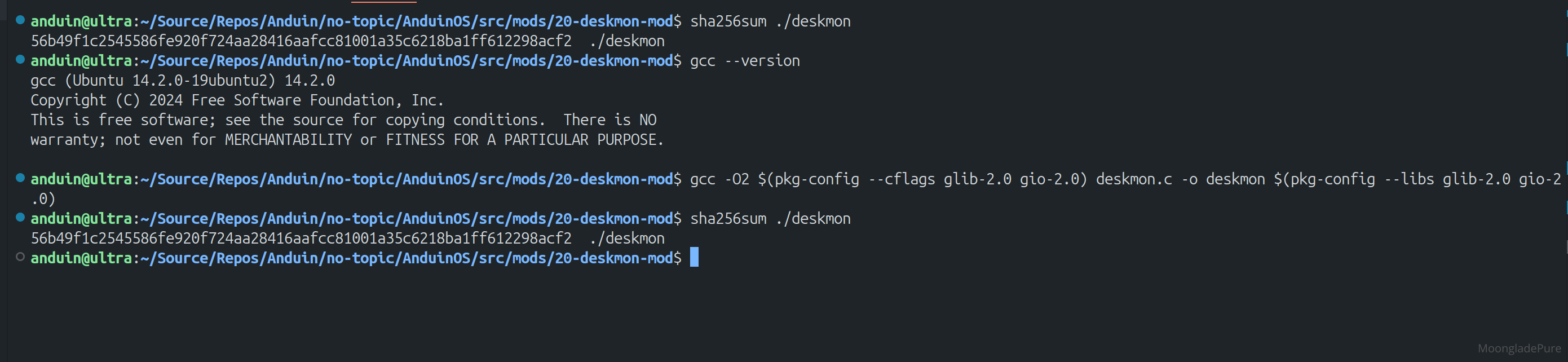
To verify it's integrity, you can download the source code of the binary here.
Or build it on your own:
sudo apt update
sudo apt install -y libglib2.0-dev pkgconf gcc
gcc -O2 $(pkg-config --cflags glib-2.0 gio-2.0) deskmon.c -o deskmon $(pkg-config --libs glib-2.0 gio-2.0)
Inplace upgrade from old versions
Since AnduinOS currently does not have its own dedicated software repository (all software packages are sourced from Ubuntu), updates to AnduinOS itself are, for now, handled by executing a bash script. In the future, we plan to integrate the update mechanism directly into the sudo apt upgrade command.
To update AnduinOS to the latest dot build version, simply run the following command: do_anduinos_upgrade. For example:
1.1.0 → 1.1.5
1.2.0 → 1.2.5
1.3.0 → 1.3.2
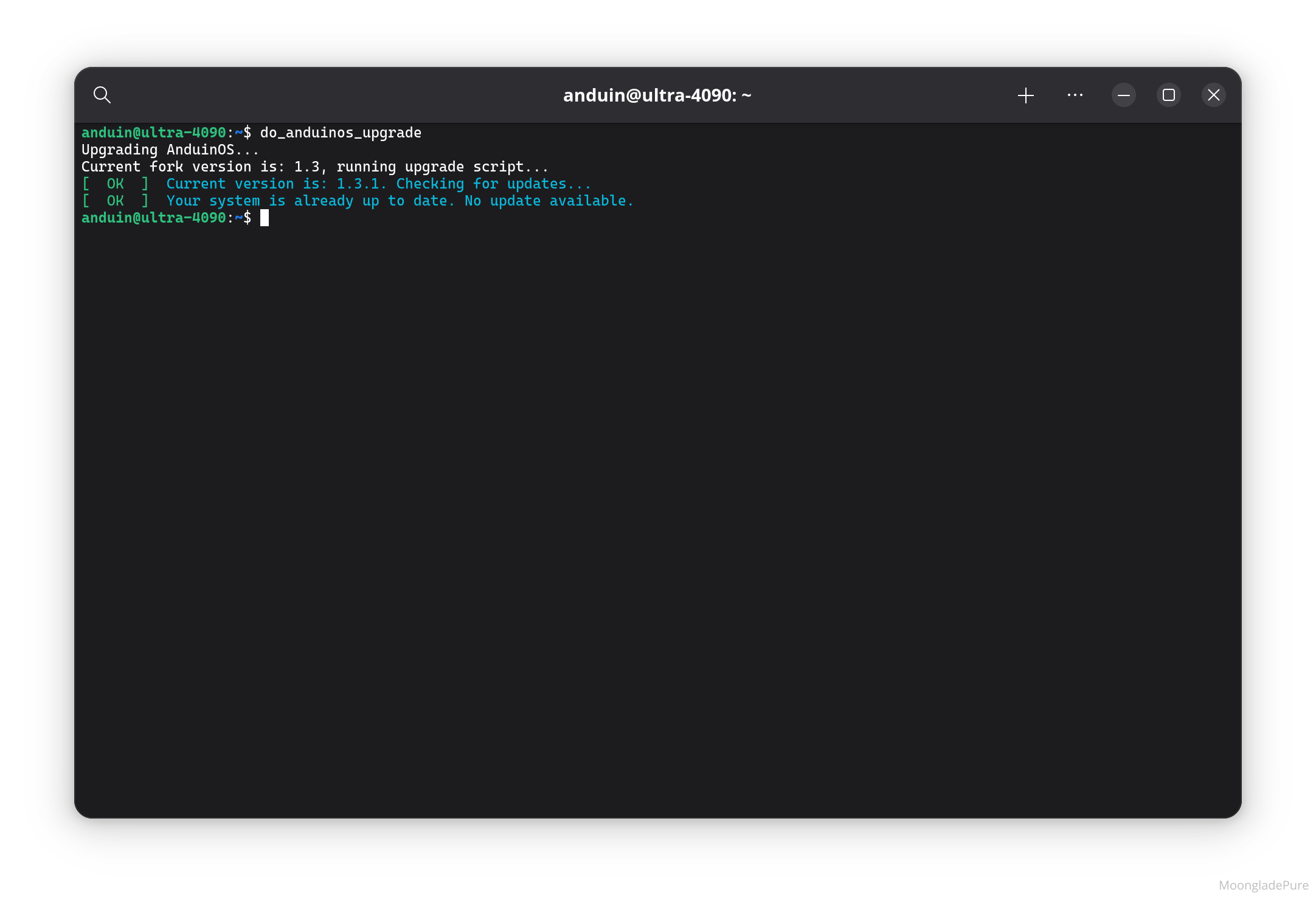
Please note that this command will not upgrade across fork versions—that is, it will not upgrade from 1.2.0 to 1.3.1.